Execution is our cheap creditWe get one life. Usually one career. One shot at doing work that matters.
And I think we’re living through one of the most significant shifts in how software gets built in decades. Something has changed. You can feel it.
I think most builders feel it. I don’t want to oversell it. And I don’t want to pretend it’s nothing either.
The cost of building software has collapsed. Individuals can now ship things that used to require teams.
So what does that mean for us? the people who build software. Designers. Engineers. Product people.
On one hand, it can feel existential. Does what I do still matter? On the other hand, it might be the most exciting time in decades to be a builder. Because while some parts of our work have been commoditised, our leverage has never been higher.
The Distance Between Idea and RealityFor a long time, building software was expensive. That shaped how organisations worked. Work had to be specialised.
Product. Design. Engineering. Artefacts existed as translation layers between those groups.
Specs. Wireframes. Roadmaps. Tickets.
These things were proxies for communication. They helped protect efficiency. Because when building was slow and expensive, the worst thing you could do was build the wrong thing. That's still true today. Organisations optimised heavily around not wasting effort.
But now the distance between an idea and reality has reduced dramatically. A single person can prototype something in hours that used to require coordination across multiple teams. That changes the structure of work.
Your Taste Will Outrun Your AbilityDesigners learn a painful truth early in their career. For a long time, your taste is better than your ability. You can see the world more clearly than you can build it. This is frustrating, but if you keep shipping eventually your skill catches up to your taste.
Now perhaps the inverse is true?
Ability is accelerating faster than taste. We can build faster than we can judge.
The cost of building has collapsedLooking at Dublin, a city I grew up in and love. For decades the city grew relatively steadily. Housing expanded gradually outward. Then cheap credit arrived. Suddenly we could build much faster. And we did.
Housing construction exploded — particularly on the outskirts. But it was quantity over quality. Planning lagged behind ability.
The result?
Urban sprawl.
Ghost estates.
Congestion.
Dublin is now one of the most congested cities in Europe. Cheap capital didn’t create quality. It amplified ability — good or bad.
And that’s exactly what’s happening in software. Execution is our cheap credit. The cheaper building gets, the more expensive bad decisions become.
When options are limitless judgement becomes power. Taste becomes power. Restraint becomes power.
There used to be two playbooks.Be first, or be best. Being first is meaningless now. Anyone can catch up. Only thoughtful differentiated products endure.
If the UX is sloppy, that’s a choice.
If the system is fragile, that’s a choice.
If the workflow is incoherent, that’s a choice.
These were always choices. But now they’re much harder to excuse.
A single focused person can now do work that previously required coordination, meetings, and handoffs. That friction is disappearing. The best teams increasingly look like small groups of high-agency builders. People with a bias toward building. Not building more, but building better.
DesignersLess static artefact design. More behavioural and system-level design. More validation in real environments. More responsibility for coherence across the product.
Designers move from designing representations of the product to shaping the product itself.
Product ManagersThe role becomes sharper. Choosing what not to build. Defining success clearly before work begins. Sequencing bets deliberately. Killing weak ideas early.
EngineersLess focus on writing every line of code. More focus on shaping the systems in which code gets written. Designing environments that LLMs can safely extend. Refactoring legacy complexity that trips up agents. Building guardrails, not just features.
Engineers move from writing most of the code to shaping the environment where code happens.
In the past, building was slow.You might sit with a problem for days. That friction accidentally improved quality. You’d rethink things while implementing.
Now that an AI can generate a feature in minutes, how long are we actually sitting with the problem?
Speed used to create reflection. Now reflection has to be intentional. We need to become far more deliberate about quality.
This is the most leverage builders have ever had.It’s also the most responsibility. And yes — it’s uncomfortable. But I’d rather work in a moment of possibility than stagnation. This moment isn’t really about AI. It’s about raising our standards. Small teams can now build things that once required entire companies. Individuals can punch far above their weight.
And you don’t get many moments like that in a lifetime! Execution is our cheap creditWe get one life. Usually one career. One shot at doing work that matters.
And I think we’re living through one of the most significant shifts in how software gets built in decades. Something has changed. You can feel it.
I think most builders feel it. I don’t want to oversell it. And I don’t want to pretend it’s nothing either.
The cost of building software has collapsed. Individuals can now ship things that used to require teams.
So what does that mean for us? the people who build software. Designers. Engineers. Product people.
On one hand, it can feel existential. Does what I do still matter? On the other hand, it might be the most exciting time in decades to be a builder. Because while some parts of our work have been commoditised, our leverage has never been higher.
The Distance Between Idea and RealityFor a long time, building software was expensive. That shaped how organisations worked. Work had to be specialised.
Product. Design. Engineering. Artefacts existed as translation layers between those groups.
Specs. Wireframes. Roadmaps. Tickets.
These things were proxies for communication. They helped protect efficiency. Because when building was slow and expensive, the worst thing you could do was build the wrong thing. That's still true today. Organisations optimised heavily around not wasting effort.
But now the distance between an idea and reality has reduced dramatically. A single person can prototype something in hours that used to require coordination across multiple teams. That changes the structure of work.
Your Taste Will Outrun Your AbilityDesigners learn a painful truth early in their career. For a long time, your taste is better than your ability. You can see the world more clearly than you can build it. This is frustrating, but if you keep shipping eventually your skill catches up to your taste.
Now perhaps the inverse is true?
Ability is accelerating faster than taste. We can build faster than we can judge.
The cost of building has collapsedLooking at Dublin, a city I grew up in and love. For decades the city grew relatively steadily. Housing expanded gradually outward. Then cheap credit arrived. Suddenly we could build much faster. And we did.
Housing construction exploded — particularly on the outskirts. But it was quantity over quality. Planning lagged behind ability.
The result?
Urban sprawl.
Ghost estates.
Congestion.
Dublin is now one of the most congested cities in Europe. Cheap capital didn’t create quality. It amplified ability — good or bad.
And that’s exactly what’s happening in software. Execution is our cheap credit. The cheaper building gets, the more expensive bad decisions become.
When options are limitless judgement becomes power. Taste becomes power. Restraint becomes power.
There used to be two playbooks.Be first, or be best. Being first is meaningless now. Anyone can catch up. Only thoughtful differentiated products endure.
If the UX is sloppy, that’s a choice.
If the system is fragile, that’s a choice.
If the workflow is incoherent, that’s a choice.
These were always choices. But now they’re much harder to excuse.
A single focused person can now do work that previously required coordination, meetings, and handoffs. That friction is disappearing. The best teams increasingly look like small groups of high-agency builders. People with a bias toward building. Not building more, but building better.
DesignersLess static artefact design. More behavioural and system-level design. More validation in real environments. More responsibility for coherence across the product.
Designers move from designing representations of the product to shaping the product itself.
Product ManagersThe role becomes sharper. Choosing what not to build. Defining success clearly before work begins. Sequencing bets deliberately. Killing weak ideas early.
EngineersLess focus on writing every line of code. More focus on shaping the systems in which code gets written. Designing environments that LLMs can safely extend. Refactoring legacy complexity that trips up agents. Building guardrails, not just features.
Engineers move from writing most of the code to shaping the environment where code happens.
In the past, building was slow.You might sit with a problem for days. That friction accidentally improved quality. You’d rethink things while implementing.
Now that an AI can generate a feature in minutes, how long are we actually sitting with the problem?
Speed used to create reflection. Now reflection has to be intentional. We need to become far more deliberate about quality.
This is the most leverage builders have ever had.It’s also the most responsibility. And yes — it’s uncomfortable. But I’d rather work in a moment of possibility than stagnation. This moment isn’t really about AI. It’s about raising our standards. Small teams can now build things that once required entire companies. Individuals can punch far above their weight.
And you don’t get many moments like that in a lifetime! Introducing WhilstPosting thoughts or work publicly should feel effortless. Time and attention belong in the content itself, not in the process of getting it online.
And yet, putting something on the web often means making a long chain of decisions first — platform, framework, layout, typography, colour. Before a single sentence is published.
When creating my own place on the web, I tried a number of platforms. Many of them are excellent. But none were built with a single focus: allowing someone to write and publish with as little friction as possible.
I wanted something that felt as simple as a text editor. Open, write, publish.
So I built Whilst for myself. Open a page and start writing. What you publish lives on the web with thoughtful typography and a clean layout by default — no configuration required.
The goal is to shorten the distance between having something to say and letting it exist online.
That’s it.
If it's of interest I would love for you to give it a try! Introducing WhilstPosting thoughts or work publicly should feel effortless. Time and attention belong in the content itself, not in the process of getting it online.
And yet, putting something on the web often means making a long chain of decisions first — platform, framework, layout, typography, colour. Before a single sentence is published.
When creating my own place on the web, I tried a number of platforms. Many of them are excellent. But none were built with a single focus: allowing someone to write and publish with as little friction as possible.
I wanted something that felt as simple as a text editor. Open, write, publish.
So I built Whilst for myself. Open a page and start writing. What you publish lives on the web with thoughtful typography and a clean layout by default — no configuration required.
The goal is to shorten the distance between having something to say and letting it exist online.
That’s it.
If it's of interest I would love for you to give it a try! Winter lightShot on the Sigma BF 44mm as the sun set over the pond house. Winter lightShot on the Sigma BF 44mm as the sun set over the pond house. Current things I use dailyApple Studio DisplayHonestly a gorgeous display, nothing else has come close. I use this thing every day and don’t regret the purchase. I opted for the regular screen with height adjustable tilt stand.
Mac MiniAs soon as the M4 version of the mini came out I jumped on it, and it’s such a powerful beast of a machine. Paired with the above display it’s a fantastic setup for my desk.
iPad ProCommitting to a desktop setup means I need something for on the move. To me the iPad’s form and general ‘niceness’ to use made it an obvious choice. Having previously had the 13” model I opted for the 11” to be a little more compact. Recently however I've grown tired of the weight with the Magic Keyboard, and have found a lovely pairing with the Logitec Keys To Go 2.
Leica Q2My go to camera. Every shot looks magical. It's definitely showing it's age when it comes to connectivity and charging, it's not as convenient as newer cameras, but wow what a camera. Current things I use dailyApple Studio DisplayHonestly a gorgeous display, nothing else has come close. I use this thing every day and don’t regret the purchase. I opted for the regular screen with height adjustable tilt stand.
Mac MiniAs soon as the M4 version of the mini came out I jumped on it, and it’s such a powerful beast of a machine. Paired with the above display it’s a fantastic setup for my desk.
iPad ProCommitting to a desktop setup means I need something for on the move. To me the iPad’s form and general ‘niceness’ to use made it an obvious choice. Having previously had the 13” model I opted for the 11” to be a little more compact. Recently however I've grown tired of the weight with the Magic Keyboard, and have found a lovely pairing with the Logitec Keys To Go 2.
Leica Q2My go to camera. Every shot looks magical. It's definitely showing it's age when it comes to connectivity and charging, it's not as convenient as newer cameras, but wow what a camera. My AI tech stackIt's a really exciting time to be working in tech right now. There's a feeling of endless possibility, tools are being replaced at a fast rate, roles are being blurred in the best way possible. Lately I've zoned in on some great tools that help scratch my builder itch. Aside from Chat GPT I find myself regularly using:
Visual electricAn infinite canvas image and video generation platform, access to a substantial number of models with familiar controls for designers. I've found the quality of output and control that VE allows far above others in the space. (Referral link above – we both get an extra 100 volts)
v0.appVercel's vibe coding platform. Having tried Loveable and Bolt.new since GPT5 v0 has felt like a more predictable building platform. Great integration with Github, Supabase and some direct styling controls make this the best of the lot.
GranolaFantastic meeting / notes app. Facilitates a mix of your own notes, transcripts and AI enchanced notes.
My AI tech stackIt's a really exciting time to be working in tech right now. There's a feeling of endless possibility, tools are being replaced at a fast rate, roles are being blurred in the best way possible. Lately I've zoned in on some great tools that help scratch my builder itch. Aside from Chat GPT I find myself regularly using:
Visual electricAn infinite canvas image and video generation platform, access to a substantial number of models with familiar controls for designers. I've found the quality of output and control that VE allows far above others in the space. (Referral link above – we both get an extra 100 volts)
v0.appVercel's vibe coding platform. Having tried Loveable and Bolt.new since GPT5 v0 has felt like a more predictable building platform. Great integration with Github, Supabase and some direct styling controls make this the best of the lot.
GranolaFantastic meeting / notes app. Facilitates a mix of your own notes, transcripts and AI enchanced notes.
A responsibility to the industryLouie Mantia on Alan Dye, and Liquid Glass:
No one I know would ask Alan Dye to design their app. Adopting Liquid Glass is no different. Why would anyone subscribe to a design system created by a person you don’t consider to be a good designer?
A responsibility to the industryLouie Mantia on Alan Dye, and Liquid Glass:
No one I know would ask Alan Dye to design their app. Adopting Liquid Glass is no different. Why would anyone subscribe to a design system created by a person you don’t consider to be a good designer?
Working with Figma on the iPad ProAfter initially being underwhelmed with Apple’s M4 iPad announcement, I decided to replace my 13” six-year-old iPad Pro with a new 11” iPad Pro based on positive reviews. When I bought the 2018 iPad Pro, I hoped it would evolve into a highly capable machine, potentially replacing my need for a Mac. Unfortunately, this didn’t materialize. It was great, but as others have mentioned, the iPad remains limited even today. Over time, I reframed my view of the iPad as a great companion device. However, in reality, I rarely traveled with my 13” Pro alongside my MacBook Pro; it felt like packing two laptops.
I’ll save reviewing the device itself for the pros, other than noting the stunning OLED display and overall finish of the device. I chose the silver/white model this time and have no regrets. A smaller bezel would be welcome, though!
The iPad is a great companion device for most of my daily tasks: Slack, email, slide decks, and general communication. However, there are times when I still need my MacBook. For example, did you know iPads can’t open DMG files?
My setupI’ve managed to get a setup I’m pretty comfortable with and even enjoy working with as an alternative to a MacBook Pro. It consists of the following:
11” M4 iPad Pro
Magic Keyboard
Worklouder Creator Micro
Pencil Pro
Stage managerAlthough Stage Manager has been out for some time now, my previous iPad lacked this option, so I had no experience with it. I find it a joy to use, especially when using an external display. There are definitely some oddities, particularly around duplicate windows from one app, but the grouping concept and window positioning feel very natural to me.
Setting Up Figma on iPadThis is definitely more painful than it should be. On macOS, I exclusively use Figma’s app, but unfortunately, they don’t offer a functional app for iPadOS. Initially, I started using Figma within Safari. It wasn’t ideal, but it worked fine. I noticed some missing font warnings from within Figma. At Tines, we use system defaults in-product and design with SF Pro, which I needed to install.
Custom fonts on iPadBack when I was exclusively an iOS designer, I used an app called Anyfont — a hacky way to get custom fonts onto iOS using configuration profiles. Sadly, in 2024, this remains the only way to get custom fonts on your iPhone or iPad. All I needed were the SF Pro OTF files, and I thought I was ready to go.
But Apple only provides them via a DMG, which the iPad cannot open. So, I briefly hopped over to my MacBook, extracted the source files onto iCloud Drive, and then added them via Anyfont on the iPad. After that tedious process, I opened a recent design in Figma, only to find I was still missing fonts!
Unfortunately, I then learned that Figma can’t access local fonts on an iPad, and they recommend using Google Fonts instead 🤯. Not keen on changing our entire product’s typography for my desire to work on an iPad, I looked for another approach and found Figurative, a third-party ‘viewer/browser’ for Figma that can access custom fonts.
Figma Creator MicroAfter the initial hiccups, this setup is working pretty well. One requirement I found is the Figma Creator Micro from Worklouder for an easy way to zoom the canvas, as cmd-scroll won’t work on the iPad. I’ve also programmed useful shortcuts for my workflow, and the zoom wheel and undo/redo knob are lovely ways to work.
Lastly, and not Figma related, the Apple Pencil Pro feels like magic.
Working with Figma on the iPad ProAfter initially being underwhelmed with Apple’s M4 iPad announcement, I decided to replace my 13” six-year-old iPad Pro with a new 11” iPad Pro based on positive reviews. When I bought the 2018 iPad Pro, I hoped it would evolve into a highly capable machine, potentially replacing my need for a Mac. Unfortunately, this didn’t materialize. It was great, but as others have mentioned, the iPad remains limited even today. Over time, I reframed my view of the iPad as a great companion device. However, in reality, I rarely traveled with my 13” Pro alongside my MacBook Pro; it felt like packing two laptops.
I’ll save reviewing the device itself for the pros, other than noting the stunning OLED display and overall finish of the device. I chose the silver/white model this time and have no regrets. A smaller bezel would be welcome, though!
The iPad is a great companion device for most of my daily tasks: Slack, email, slide decks, and general communication. However, there are times when I still need my MacBook. For example, did you know iPads can’t open DMG files?
My setupI’ve managed to get a setup I’m pretty comfortable with and even enjoy working with as an alternative to a MacBook Pro. It consists of the following:
11” M4 iPad Pro
Magic Keyboard
Worklouder Creator Micro
Pencil Pro
Stage managerAlthough Stage Manager has been out for some time now, my previous iPad lacked this option, so I had no experience with it. I find it a joy to use, especially when using an external display. There are definitely some oddities, particularly around duplicate windows from one app, but the grouping concept and window positioning feel very natural to me.
Setting Up Figma on iPadThis is definitely more painful than it should be. On macOS, I exclusively use Figma’s app, but unfortunately, they don’t offer a functional app for iPadOS. Initially, I started using Figma within Safari. It wasn’t ideal, but it worked fine. I noticed some missing font warnings from within Figma. At Tines, we use system defaults in-product and design with SF Pro, which I needed to install.
Custom fonts on iPadBack when I was exclusively an iOS designer, I used an app called Anyfont — a hacky way to get custom fonts onto iOS using configuration profiles. Sadly, in 2024, this remains the only way to get custom fonts on your iPhone or iPad. All I needed were the SF Pro OTF files, and I thought I was ready to go.
But Apple only provides them via a DMG, which the iPad cannot open. So, I briefly hopped over to my MacBook, extracted the source files onto iCloud Drive, and then added them via Anyfont on the iPad. After that tedious process, I opened a recent design in Figma, only to find I was still missing fonts!
Unfortunately, I then learned that Figma can’t access local fonts on an iPad, and they recommend using Google Fonts instead 🤯. Not keen on changing our entire product’s typography for my desire to work on an iPad, I looked for another approach and found Figurative, a third-party ‘viewer/browser’ for Figma that can access custom fonts.
Figma Creator MicroAfter the initial hiccups, this setup is working pretty well. One requirement I found is the Figma Creator Micro from Worklouder for an easy way to zoom the canvas, as cmd-scroll won’t work on the iPad. I’ve also programmed useful shortcuts for my workflow, and the zoom wheel and undo/redo knob are lovely ways to work.
Lastly, and not Figma related, the Apple Pencil Pro feels like magic.
Eat now, pay laterLast week I opened up Deliveroo and proceeded to order some dinner. Nothing too unusual, except this time I noticed a Pay with Klarna option. For those that aren't familiar Klarna is a buy now pay later service, offering the cost of a product to be split into 3 payments. Aside from merchant fees, Klarna makes money when customers opt to, or need to extend credit terms or miss a payment.
Deliveroo has questionable business practices at the best of times, and perhaps I expected too much from them, but there is something seriously fucked up about offering the option to spread payments for food on a platform like Klarna. Food insecurity is a major problem for many people. I hope there was some pushback within the product team as they considered the ethical implications of a buy now pay later option for something as basic as food.
Eat now, pay laterLast week I opened up Deliveroo and proceeded to order some dinner. Nothing too unusual, except this time I noticed a Pay with Klarna option. For those that aren't familiar Klarna is a buy now pay later service, offering the cost of a product to be split into 3 payments. Aside from merchant fees, Klarna makes money when customers opt to, or need to extend credit terms or miss a payment.
Deliveroo has questionable business practices at the best of times, and perhaps I expected too much from them, but there is something seriously fucked up about offering the option to spread payments for food on a platform like Klarna. Food insecurity is a major problem for many people. I hope there was some pushback within the product team as they considered the ethical implications of a buy now pay later option for something as basic as food.
The permission to be wrongOne of the core principles guiding our product decisions at Tines is enabling builders to create amazing things with the platform. In the early days, the product was a little unforgiving. But over time, with features like copy/paste, undo/redo, version history and change management, we're building out a safety net that aids exploration and experimentation. As you progress, things you build in the product will inevitably break, and you'll learn from that. Most of these features are table stakes for products today, built on the convention afforded to us by modern computing. There are few things worse than hitting cmd-z and nothing happening.
That brings me to a similar tangent with our team. On the design team, we work knowing with confidence that we can try something out. Something that in all likelihood won't work, and that's fine. Because sometimes, just sometimes it will work or at the very least open a door to another approach we would never have discovered. We need to feel comfortable with being wrong. It's non-negotiable that the environment fosters risk-taking and
In an industry where KPIs, metrics and dogmatic processes dominate, it's easy to get overwhelmed by the nature of product development. Our team is supported and encouraged to take risks. Sometimes those risks will pay off, other times they won't, but regardless of the outcome it will lead to a better product, and I suspect happier designers.
The permission to be wrongOne of the core principles guiding our product decisions at Tines is enabling builders to create amazing things with the platform. In the early days, the product was a little unforgiving. But over time, with features like copy/paste, undo/redo, version history and change management, we're building out a safety net that aids exploration and experimentation. As you progress, things you build in the product will inevitably break, and you'll learn from that. Most of these features are table stakes for products today, built on the convention afforded to us by modern computing. There are few things worse than hitting cmd-z and nothing happening.
That brings me to a similar tangent with our team. On the design team, we work knowing with confidence that we can try something out. Something that in all likelihood won't work, and that's fine. Because sometimes, just sometimes it will work or at the very least open a door to another approach we would never have discovered. We need to feel comfortable with being wrong. It's non-negotiable that the environment fosters risk-taking and
In an industry where KPIs, metrics and dogmatic processes dominate, it's easy to get overwhelmed by the nature of product development. Our team is supported and encouraged to take risks. Sometimes those risks will pay off, other times they won't, but regardless of the outcome it will lead to a better product, and I suspect happier designers.
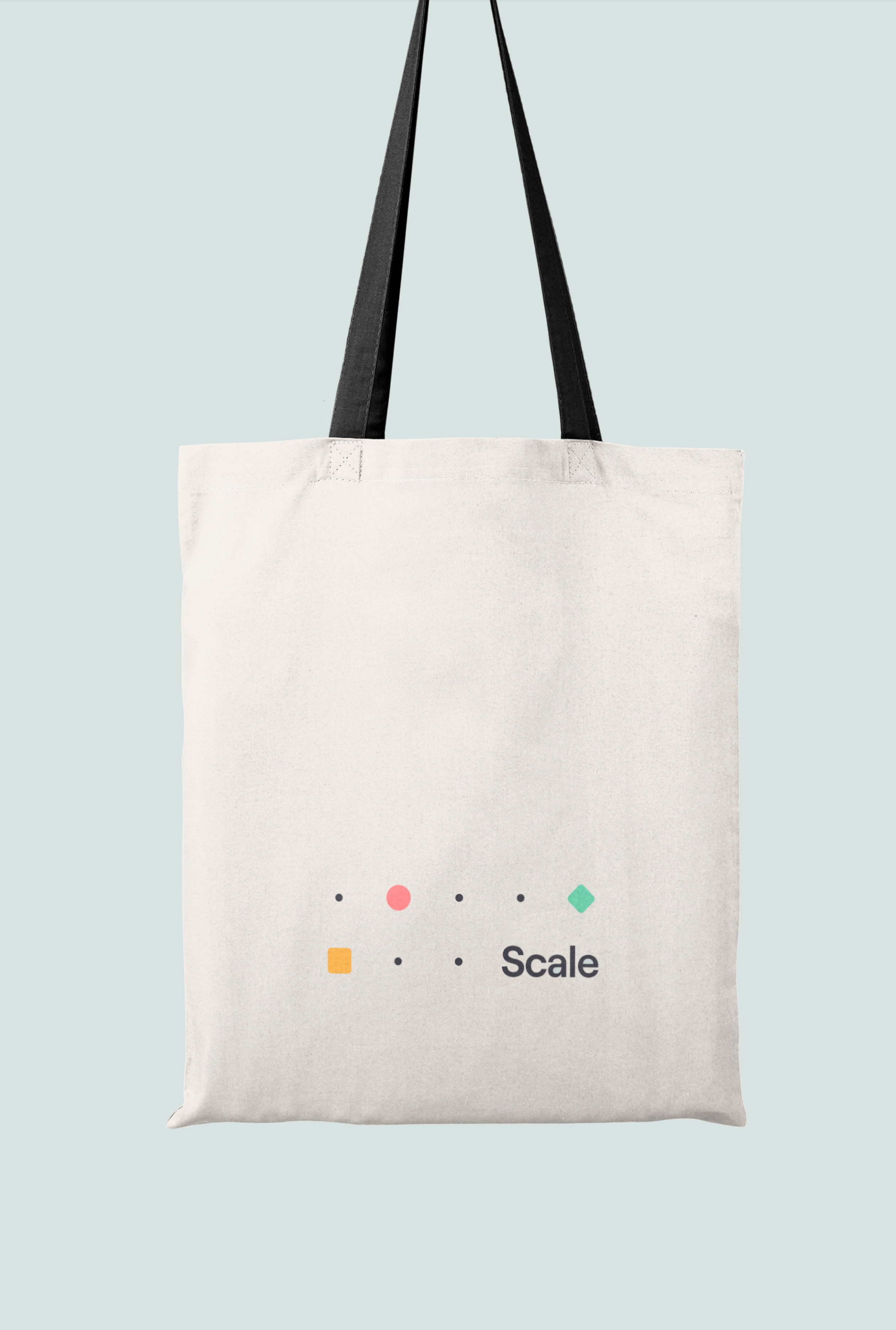
Scale ChicagoI'm back from an amazing week with all the Tines team together in Chicago. As part of the preparation for this annual company offsite, it felt timely that these events should have their mini-identity. I worked with the team on a visual design language that sits alongside our core brand, feeling fresh yet familiar. Scale ChicagoI'm back from an amazing week with all the Tines team together in Chicago. As part of the preparation for this annual company offsite, it felt timely that these events should have their mini-identity. I worked with the team on a visual design language that sits alongside our core brand, feeling fresh yet familiar. DistanceAs designers, our happy place is working on complex problems every day. Problems that require a great degree of domain knowledge. However, one of the greatest perspectives comes with distance. The unfamiliar have a curiosity that will pull threads on a basic premise or supposed truth. They can see a broader scope with more ease.
Consider letting a solution rest and coming back days later. Give yourself distance – get outside the details and you will likely critique your work more objectively. DistanceAs designers, our happy place is working on complex problems every day. Problems that require a great degree of domain knowledge. However, one of the greatest perspectives comes with distance. The unfamiliar have a curiosity that will pull threads on a basic premise or supposed truth. They can see a broader scope with more ease.
Consider letting a solution rest and coming back days later. Give yourself distance – get outside the details and you will likely critique your work more objectively.